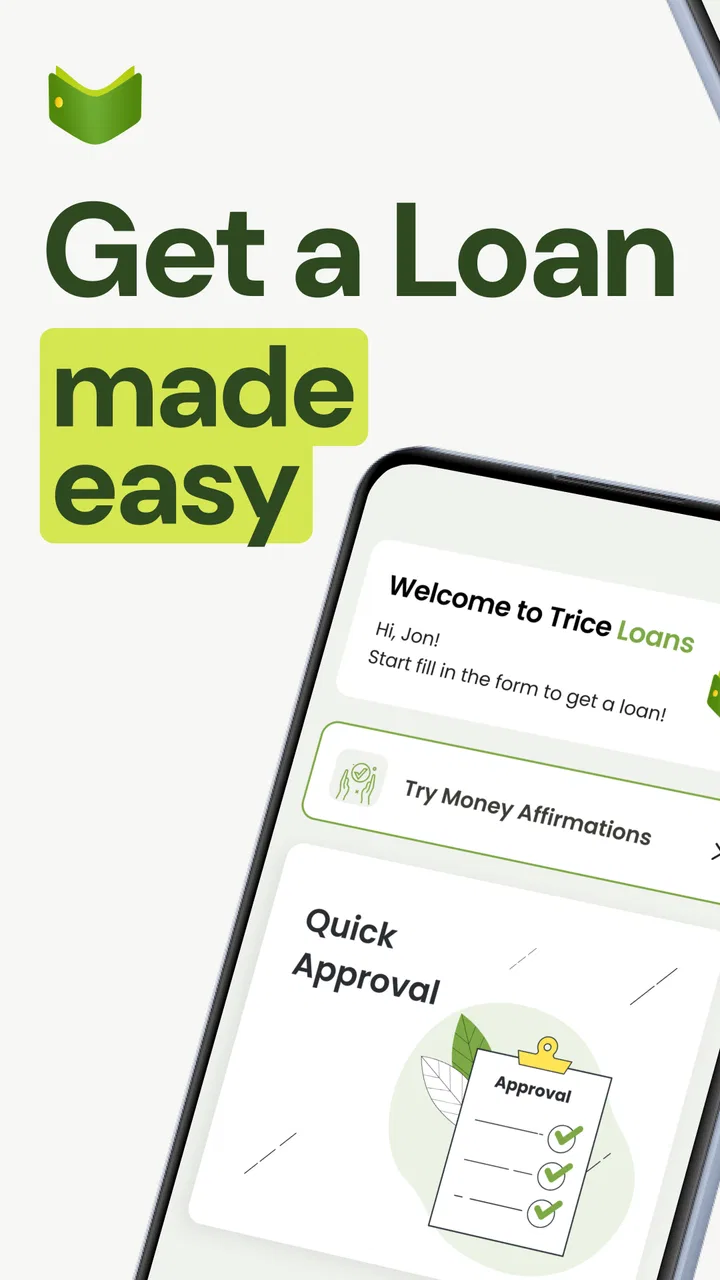
Payday Cash Advance TriceLoans
- 4.7
- Rating
- 50.00K
- Installs
- Free
- Price

 Analysis by App-foxy
When money is tight, a cash-advance app can look like a simple answer: install it, request funds, and move on. My experience with Payday Cash Advance TriceLoans is that the important part is not the promise of speed, but how carefully you handle the process around it. This is a finance app from Trice Loans aimed at people looking for a short-term advance, and its store summary emphasizes fast access without a traditional credit check. That makes it potentially useful in a narrow emergency, but it also means I would approach it with more caution than I would a budgeting or savings app.
The app is free to install and is rated for Everyone, which makes the first step feel accessible. It has reached over 50 thousand installs and holds a 4.7 average from around 7 thousand ratings, so it is not an unknown download with no public activity. Still, popularity should not be confused with affordability. A loan or advance can solve a timing problem while creating a repayment problem later, and that distinction shaped my view throughout the review.
Where the process usually becomes difficult
The first point where I would expect users to get stuck is the application itself. People often assume that “no credit check” means “no review,” but those are not the same thing. An app can avoid a conventional credit-score check and still require accurate personal, financial, or identity information before deciding whether an advance is available. I would therefore treat every field as important and enter details exactly as they appear on the relevant documents.
You May Also Like

 Blood Strike: 2.5 Anniversary
Blood Strike’s Loadouts Turn Every Drop Into a Tactical Gamble
A close look at Blood Strike’s custom loadouts: how fast access to signature weapons reshapes its battle royale rhythm, rewards preparation, and narrows the gap between fights.

 Pandora - Music & Podcasts
Pandora’s Music Is Easy to Start, but Harder to Recover
Pandora’s strength is its low-effort path from a seed to a station. Its weak spot is how much confidence it asks you to place in connection, setup, and quiet recovery.

 8 Ball Pool
 Is Built on Rivalries, Rematches, and Routine
A close look at the rivalries, rematches, shared routines, and unanswered safety questions that turn a quick pool match into a persistent mobile community.

 Samsung Music
’s Quiet Strength Is Playing What You Already Own
Its reach comes less from spectacle than from dependable access to a personal library. That simplicity is both the app’s strongest retention engine and its ceiling.

 AccuWeather: Weather Radar
AccuWeather Review: A Quick, Clear Forecast for Everyday Decisions
For everyday plans, the best forecast is the one you can understand quickly. AccuWeather makes rain timing, radar, and local conditions easy to act on, with a few trade-offs.

 Hill Climb Racing
Why Hill Climb Racing Still Turns Crashes Into One More Run
A tiny car, a bumpy hill and one more upgrade: Hill Climb Racing keeps resurfacing because its simple chaos makes every near-miss feel personal.
More From Our News Desk
View All News


A second source of friction is expectation. The store summary presents TriceLoans as a fast cash-advance app, but speed can depend on factors outside the app. A request may need information to be checked, a bank connection to work correctly, or a transfer method to be available. If the money is needed for a bill due in a few hours, I would not rely on any finance app as the only plan. The safer approach is to begin before the deadline and keep a backup conversation open with the bill provider.
There is also a psychological trap in short-term borrowing: the requested amount can feel small when viewed alone, while the repayment obligation may compete with rent, food, transport, or another bill. Before tapping through an offer, I would write down the total amount that must be repaid, the date it is due, and what income will cover it. The most useful feature is not speed; it is knowing whether repayment fits your next budget.
Another detail worth noticing is the app’s current version, 1.1.6. That tells me the product is still relatively early in its development compared with long-established banking tools. I would keep the app updated, but I would also avoid assuming that every device, bank, or unusual account situation will work smoothly on the first attempt. Early versions can be perfectly usable while still having rough edges in sign-up, error messages, or recovery.
What I would check before requesting anything
I would begin by confirming that the phone meets the minimum operating-system requirement of Android 7.0 or newer. That is a basic check, but it prevents wasted time on a device that cannot run the app properly. I would also use a stable internet connection, close other demanding apps, and make sure the phone has enough free storage for normal operation and updates.
Next, I would prepare the information I expect to need before starting. That means using my legal name consistently, checking that contact details are current, and having access to the financial account or payment information involved in the process. I would not rush through a form simply because the app is marketed around fast access. A mismatch in spelling, address, or account details can be more disruptive than taking a few extra minutes at the start.
Before accepting any advance, I would read the complete repayment terms displayed in the app rather than relying on the short store wording. The free download does not mean borrowing is free. In-app purchases are listed from $1.99 to $4.99 per item, but that information should not be treated as a substitute for reviewing the specific cost of an advance. Those are separate questions: the app’s installation model and the financial obligation created by borrowing.
I would also check whether notifications are enabled and whether the phone’s battery-saving settings are unusually aggressive. This is not because TriceLoans is guaranteed to need a particular permission or background process, but because restrictive phone settings can delay alerts or interrupt a session in many finance apps. If I were using the app while traveling or on mobile data, I would avoid switching networks during an active submission.
A careful setup routine saves more time than repeated retries
My preferred setup routine would be simple. I would install the app from the official store, update it if an update is offered, restart the phone if the installation behaved strangely, and then open it on a reliable connection. I would keep my details consistent from beginning to end and read each confirmation screen before continuing. If the app asks me to review an amount, repayment date, or fee, I would save those details in my own notes so I can compare them with my budget later.
I would not use a public Wi-Fi network for a financial application. A private connection is a better choice, and I would avoid sharing screenshots that expose account details or personal information when asking someone for help. If another person is assisting, I would let them explain the screen rather than handing over passwords, verification codes, or access to the device.
One practical tip is to separate “checking eligibility” from “accepting money” in your mind. Opening the app and exploring the available steps does not have to become an immediate borrowing decision. I would first understand what the app is asking, identify the repayment commitment, and only then decide whether the request makes sense. This pause is especially valuable when the original problem is an urgent bill, because urgency makes expensive choices feel more reasonable than they may be.
Recovering when a request or session goes wrong
If the app freezes, closes, or returns to an earlier screen, I would avoid repeatedly submitting the same request. Multiple attempts can make it harder to tell whether the first action was received. I would note the time of the attempt, close the app completely, reopen it, and look for a status or confirmation before trying again. If the screen shows that a request is still processing, patience is safer than creating duplicates.
For a blank screen or loading loop, I would work through the ordinary checks first: confirm the connection, switch from unstable Wi-Fi to mobile data or the reverse, restart the app, and restart the phone. I would also check whether the app has an available update and whether the device has enough free space. These steps are deliberately basic because they solve a surprising number of mobile problems without changing sensitive settings.
If sign-in details are rejected, I would use the app’s normal account-recovery route rather than guessing passwords repeatedly. I would check for typing mistakes, extra spaces, and whether the phone’s keyboard changed capitalization. I would never share a verification code with someone claiming to be support through an unsolicited message. A genuine recovery process should be started from inside the app or its official store presence, not from a random link.
When a bank or payment step does not complete, I would first confirm that the account details are correct and that the account itself is active. I would also check for a bank-side security alert, a temporary hold, or a transfer restriction by signing in through the bank’s own official app. If the bank shows no issue, I would return to TriceLoans and review the application status rather than starting over immediately.
There is a useful distinction between a technical error and an eligibility decision. An error message, crash, or endless loader suggests a workflow problem. A clear message that an advance is unavailable is a separate outcome and should not be “fixed” by repeatedly editing information or creating another account. I would accept that distinction and avoid submitting inconsistent details merely to force a different result.
Keeping a record is especially important with short-term borrowing
For any financial app, I like to keep a private record of the date I applied, the amount requested, the amount received, the total repayment, and the due date shown at acceptance. I would also save confirmation screens only in a secure location, with sensitive information protected. This gives me something to compare against my bank statement and helps me spot a mistake quickly.
If the repayment date conflicts with my income schedule, I would not assume the app will automatically adjust it. I would look for the official support or account-management route within the app and ask about options before the due date. Waiting until the last moment removes choices. I would also avoid taking a second advance merely to cover the first one; that is how a temporary gap can become a repeating cycle.
The app’s free price is helpful for trying the interface without an upfront download charge, but it should not encourage casual borrowing. The small in-app purchase range listed for the app may be relevant to app-related items, yet the central decision remains the cost and timing of the advance itself. I would judge the product by the full repayment terms presented to me, not by the word “free” beside the installation button.
When the phone is not the real cause
Sometimes the problem is not the application at all. A bank may block a transfer, a mobile carrier may restrict messages, a device may have an incorrect date and time, or a user may be attempting the process from a location or account situation that does not fit the service’s requirements. Restarting the app cannot resolve a bank-side hold or an incorrect account record.
That is why I would test the surrounding pieces separately. Can I access my bank through its own official channel? Are other verification messages arriving? Does the phone have the correct date and time? Is the internet working normally in another app? These checks help identify whether I should troubleshoot TriceLoans, contact my bank, or wait for a broader service issue to clear.
I would also be cautious about suspicious messages that use the app’s name. A financial emergency attracts scammers because people are eager to complete a request quickly. I would not pay an unexpected “release” charge through an unfamiliar message, install a remote-control tool, or send identity documents to an unverified contact. If something feels inconsistent, I would stop and return to the app’s official support path.
For someone who needs predictable monthly planning, a payday-style advance may simply be the wrong tool. A credit union loan, an employer-based wage-access program, a negotiated payment extension, or a dedicated emergency fund may be slower or less convenient, but those alternatives can be easier to understand over a longer period. For recurring expenses, a budgeting app or a bank account with automatic savings is usually more appropriate than repeatedly seeking short-term cash.
I would also skip this app if I could not explain exactly how repayment would happen. That is not a criticism of Trice Loans specifically; it is a basic rule for any borrowing service. If the next paycheck is already committed, if another advance would be needed to repay this one, or if the terms are difficult to understand, the convenience is not worth the risk. In those situations, speaking directly with the creditor about a payment arrangement may be the better first move.
Who is most likely to find it useful
I see the strongest use case as a person facing a genuine, one-time timing gap who has a clear incoming payment and can comfortably cover the obligation. For example, if an essential bill is due shortly before a confirmed paycheck and the user has checked the total repayment carefully, an advance may bridge that narrow gap. Even then, I would treat it as an exception rather than a monthly strategy.
It may also suit someone who values a mobile-first application and does not want to begin with a conventional credit-score process. The store positioning makes that a central part of its appeal. But the absence of a traditional credit check should not be read as a guarantee of approval, a guarantee of instant delivery, or proof that the product is cheaper than other options.
I would recommend comparing the complete obligation with every available alternative before accepting. Ask whether a late-fee waiver, a payment extension, a small bank overdraft, or help from a trusted person would cost less and create less pressure. The right comparison is not “app versus nothing”; it is “this repayment commitment versus the safest realistic way to solve the same problem.”
My practical verdict after weighing convenience against risk
Payday Cash Advance TriceLoans is a focused finance app for people seeking a short-term cash advance, and its high public rating suggests that many users find the experience useful. Trice Loans has made the product easy to discover, with a free download, an Everyone age rating, and a clear emphasis on quick access. I can understand why someone facing an immediate gap would consider it.
My recommendation comes with a firm condition: use it only when the repayment plan is already clear. The app should not be treated as an emergency fund, a regular income supplement, or a way to postpone a problem that will still exist after payday. The most important preparation is checking the full terms, confirming the due date, and making sure the money coming in will cover both the advance and ordinary living costs.
From a troubleshooting perspective, I would begin with the device requirement, a stable connection, accurate account details, and an updated installation. If something fails, I would avoid duplicate submissions, separate technical errors from eligibility decisions, and check the bank or phone network before blaming the app. Those habits reduce confusion and protect against making a rushed financial decision while trying to solve a technical one.
My final view is cautiously positive for a narrow, one-time use case, but not as a general borrowing habit. If you need flexible long-term financing, predictable monthly payments, or help managing repeated shortfalls, a traditional lender, credit union, employer program, payment arrangement, or budgeting solution may be a better fit. If you do try TriceLoans, slow down at the acceptance screen, record what you agreed to, and borrow only an amount that your next realistic budget can handle.
FAQs for Payday Cash Advance TriceLoans
01What is Payday Cash Advance TriceLoans?
Payday Cash Advance TriceLoans appears to be a financial service focused on short-term borrowing, allowing eligible users to request money before their next payday. Before applying, review the available loan amount, repayment schedule, interest or finance charges, and any additional fees. Approval is not guaranteed, and the actual terms may depend on your income, location, credit profile, and the lender’s requirements.
02How does the TriceLoans application process work?
The application process generally requires personal, employment, income, and banking information so the service can evaluate your request and, where applicable, connect you with a lender. Carefully check every detail before submitting an application. Read the agreement in full, confirm the total repayment amount, and make sure you understand whether submitting your information may result in contact from third-party lenders or service providers.
03How much does a Payday Cash Advance loan cost?
The cost can vary significantly depending on the lender, loan amount, repayment period, state regulations, and your individual application. A short-term loan may include interest, origination charges, service fees, late-payment fees, or other costs, and the annual percentage rate can be high. Do not rely only on the amount deposited; compare it with the total amount you will be required to repay.
04Is Payday Cash Advance TriceLoans safe to use?
Use caution and verify the service before sharing sensitive information. Check its privacy policy, permissions, contact details, lender disclosures, and the way personal and banking data are handled. Avoid any service that asks for an upfront payment to guarantee approval or requests unnecessary access to your device. You should also confirm that any lender involved is properly authorized in your jurisdiction.
05What should I consider before downloading or applying?
A payday advance should generally be considered only for a genuine, short-term financial need, because repayment can be due quickly and may place pressure on your budget. Confirm that you can repay the full amount on time without taking another loan. Compare alternatives such as a bank or credit-union loan, employer advance, payment extension, or local assistance program before proceeding.
Pros
- Simple application process with minimal paperwork
- May provide quick access to funds for eligible applicants
- Useful for handling unexpected short-term expenses
- Application can be completed from a mobile device
- Loan terms and repayment details are shown before acceptance
Cons
- Cash advances may carry high fees or interest rates
- Not available to borrowers in every state or region
- Approval and loan amounts depend on eligibility checks
- Late payments may lead to additional charges or credit impact
- Short repayment periods can make budgeting difficult

Payday Cash Advance TriceLoans
Gallery